PlatformInbox
Email filed to the right Site
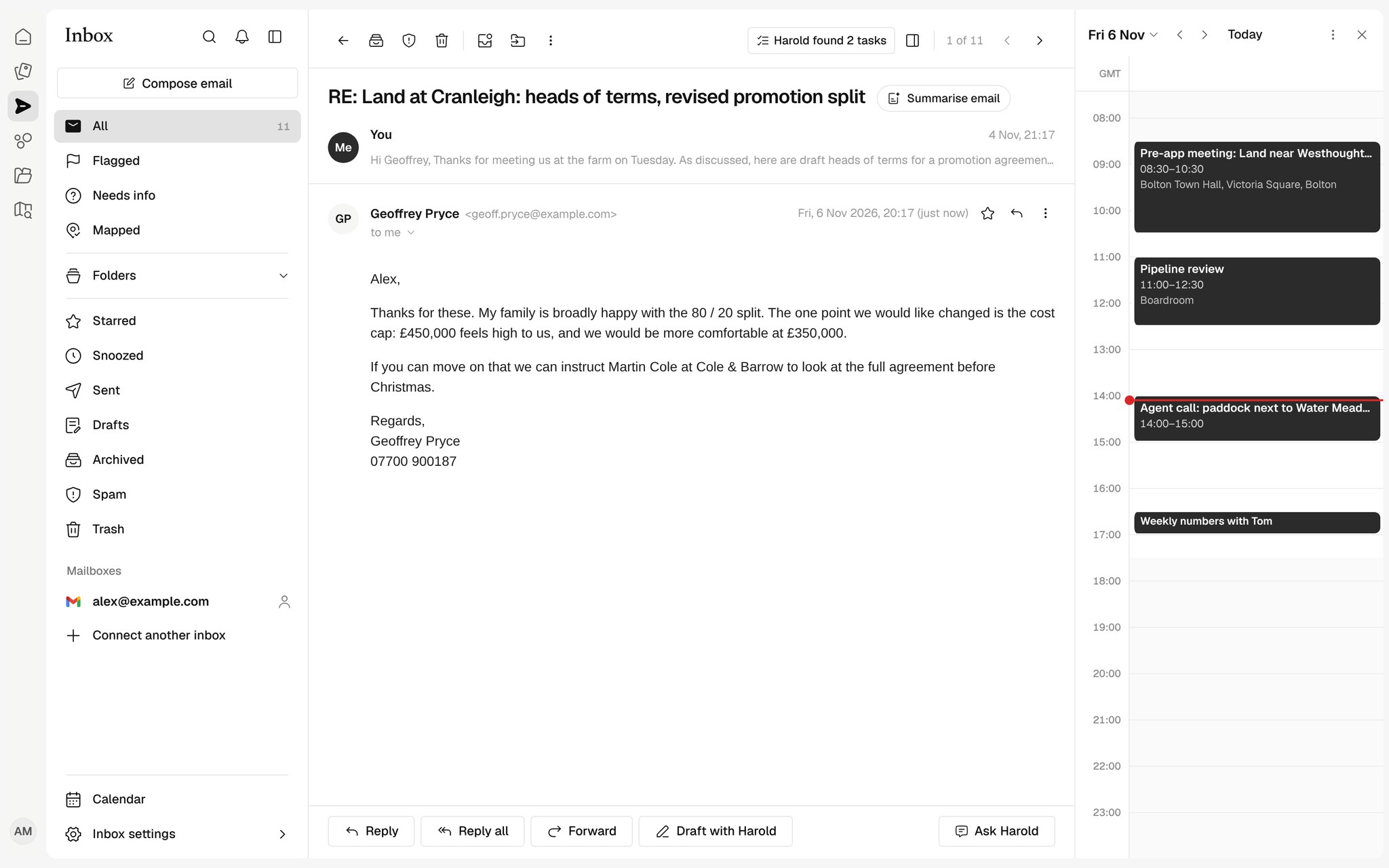
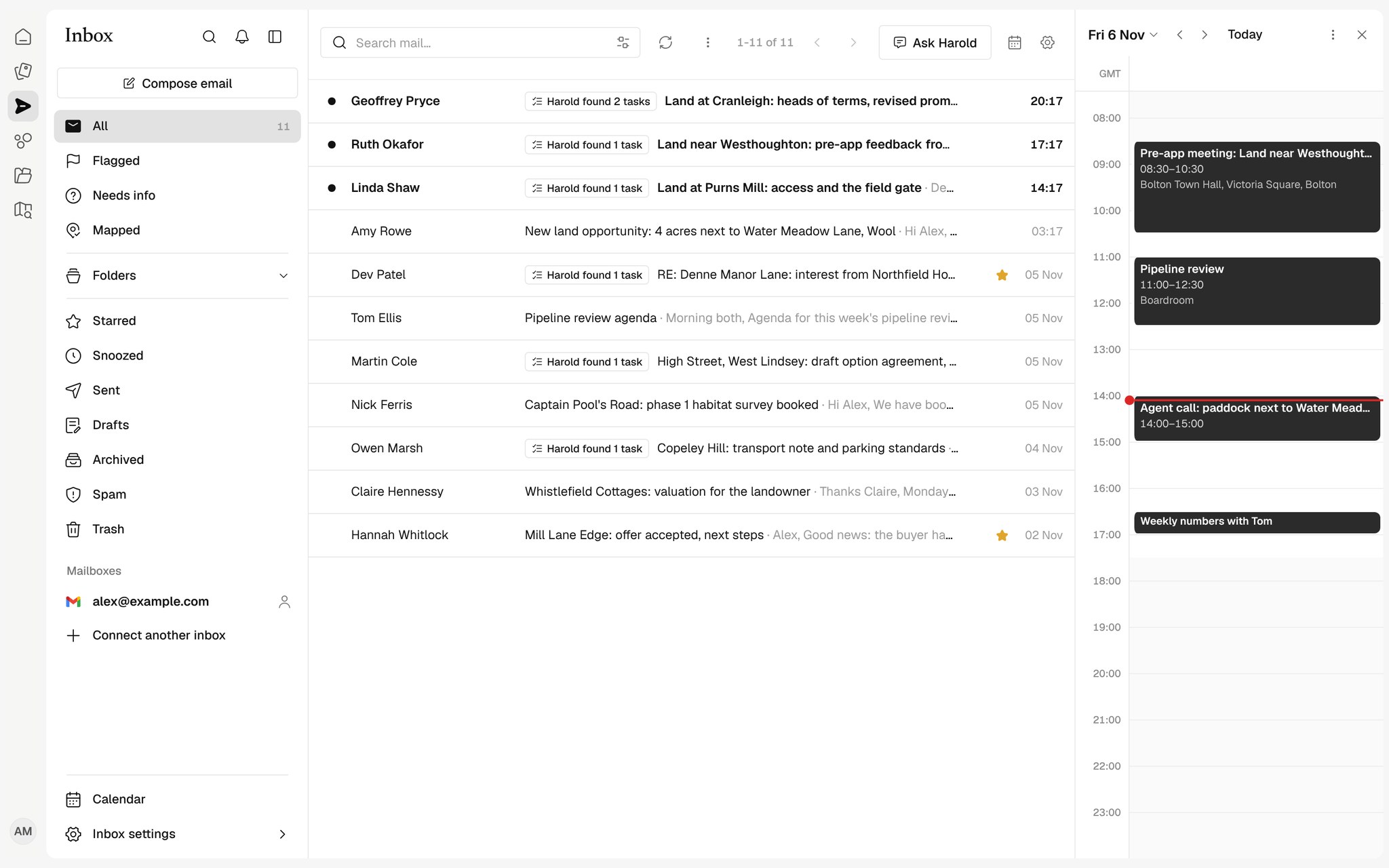
Your own mailbox in Harold, with each thread matched to its Site, the tasks inside it found, and your day alongside.

Your mailbox, two-way
Gmail or Outlook, synced both ways, with every action you expect.
Tasks from email
Harold suggests the tasks in each thread for you to accept.
Private by default
Only you see your mail unless you share a mailbox.
Filed to the right Site
Harold matches threads and attachments to the Site they are about, so the agent's email sits with the appraisal it changes.
Tasks found in every thread
When someone asks for something, Harold suggests it as a task with a due date worked out in UK working days. Nothing is added until you accept it.
Your day beside your inbox
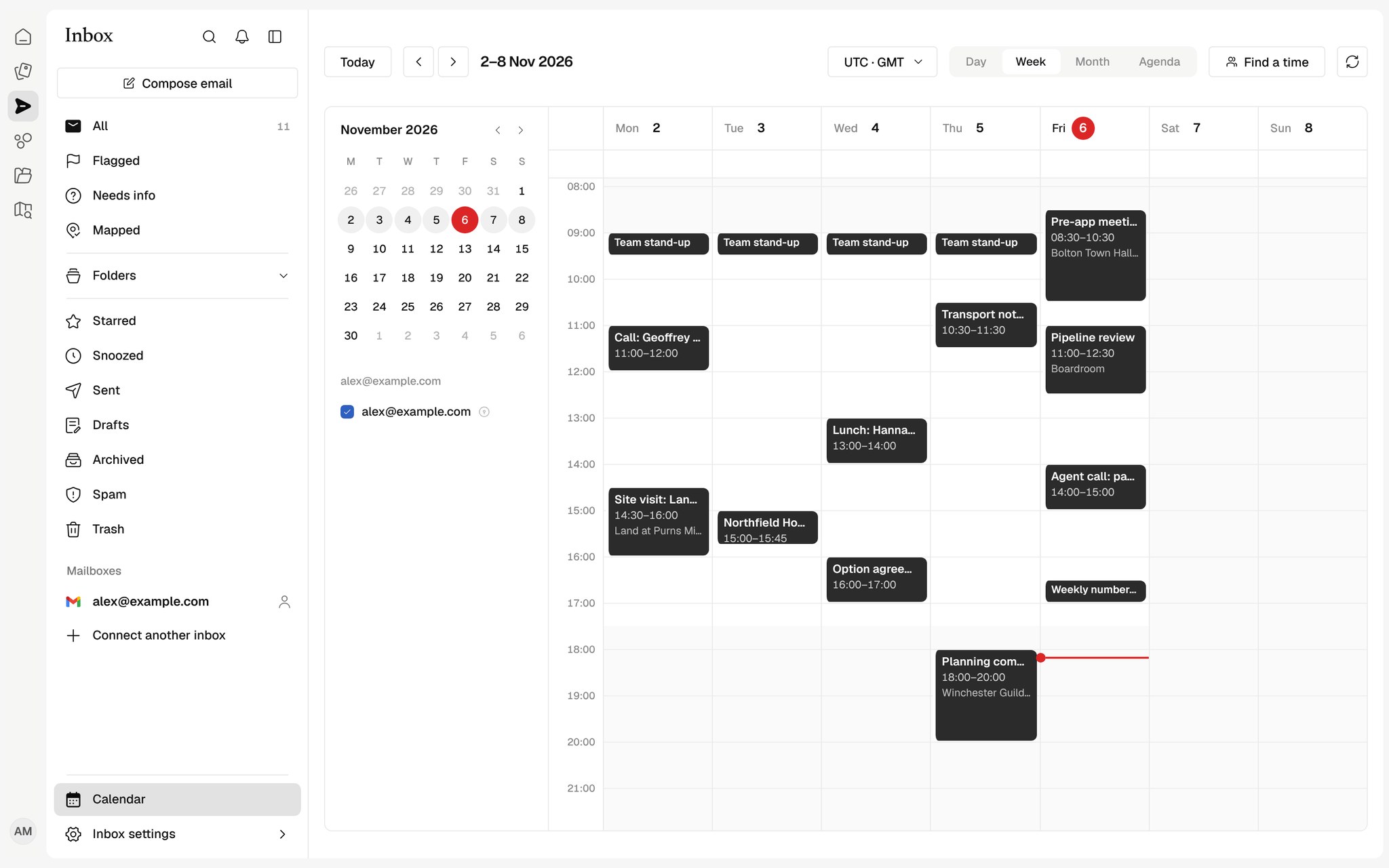
Calendar shows your own Google or Outlook calendar in Harold, with day, week and month views, and lets you create and move events.
How teams use the Inbox
Agent emails, filed
Particulars and replies land on the right Site with their attachments, without dragging them across.
Replies drafted from the thread
Harold finds the tasks in each email and drafts the reply for you to check and send.
Planning the day
Your calendar beside your inbox, so calls and site visits sit next to the emails about them.
Works with your tools
See all connectors
























Which email providers work?
Gmail and Outlook. Each person connects their own mailbox and calendar.
Does Harold send email for me?
Only when you click send, or schedule a send yourself. Drafts are yours to edit.
Can my colleagues read my email?
No, unless you share a mailbox with them. Email excerpts never appear in organisation-wide lists.